 Mac tool
About it.
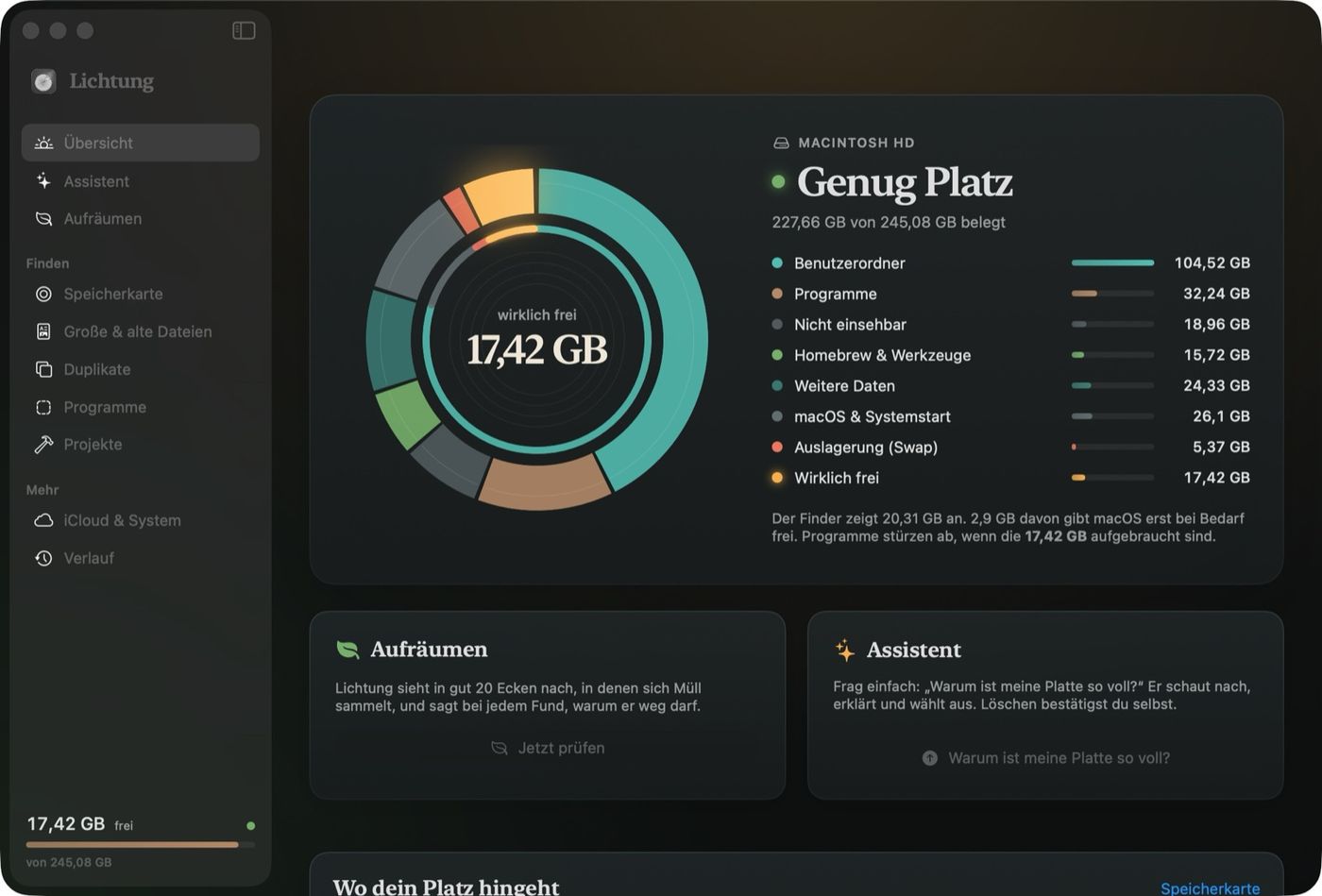
Lichtung shows how much space is really free and finds caches, old downloads, duplicates, app leftovers and developer junk. Every item says what it is and what happens once it is gone. And every clean-up can be undone.
- PlatformmacOS 26+, Intel and Apple Silicon
What Lichtung can do.
- Real free space instead of the Finder's estimate, and the honest difference after every clean-up
- Undo for every clean-up: whatever went to the bin goes back where it was, all at once
- Storage map, large and old files, duplicates (APFS clones detected) and apps with their leftovers
- Developer and AI junk: Xcode, simulators, npm, pip, Cargo, Homebrew, Hugging Face and node_modules of old projects
Answered straight.
My Mac says it can't verify the app. What now?
Lichtung isn't notarized by Apple yet. Open System Settings, Privacy & Security, once and click Open Anyway near the bottom. After that, Lichtung starts normally.
Does Lichtung delete anything on its own?
No. Lichtung suggests, you confirm. Only caches that rebuild themselves are deleted for good; everything else goes to the bin. Files in iCloud Drive are never deleted, only moved back to the cloud. The assistant runs on your Mac with Apple Intelligence; no subscription, no telemetry.