Tidies up a crowded menu bar – so nothing disappears behind the notch again.
Too many icons in the top right? Falz folds away what you rarely need. One click on the arrow and a bar appears below with everything hidden – including what would otherwise vanish behind the notch. Click an icon to open it.
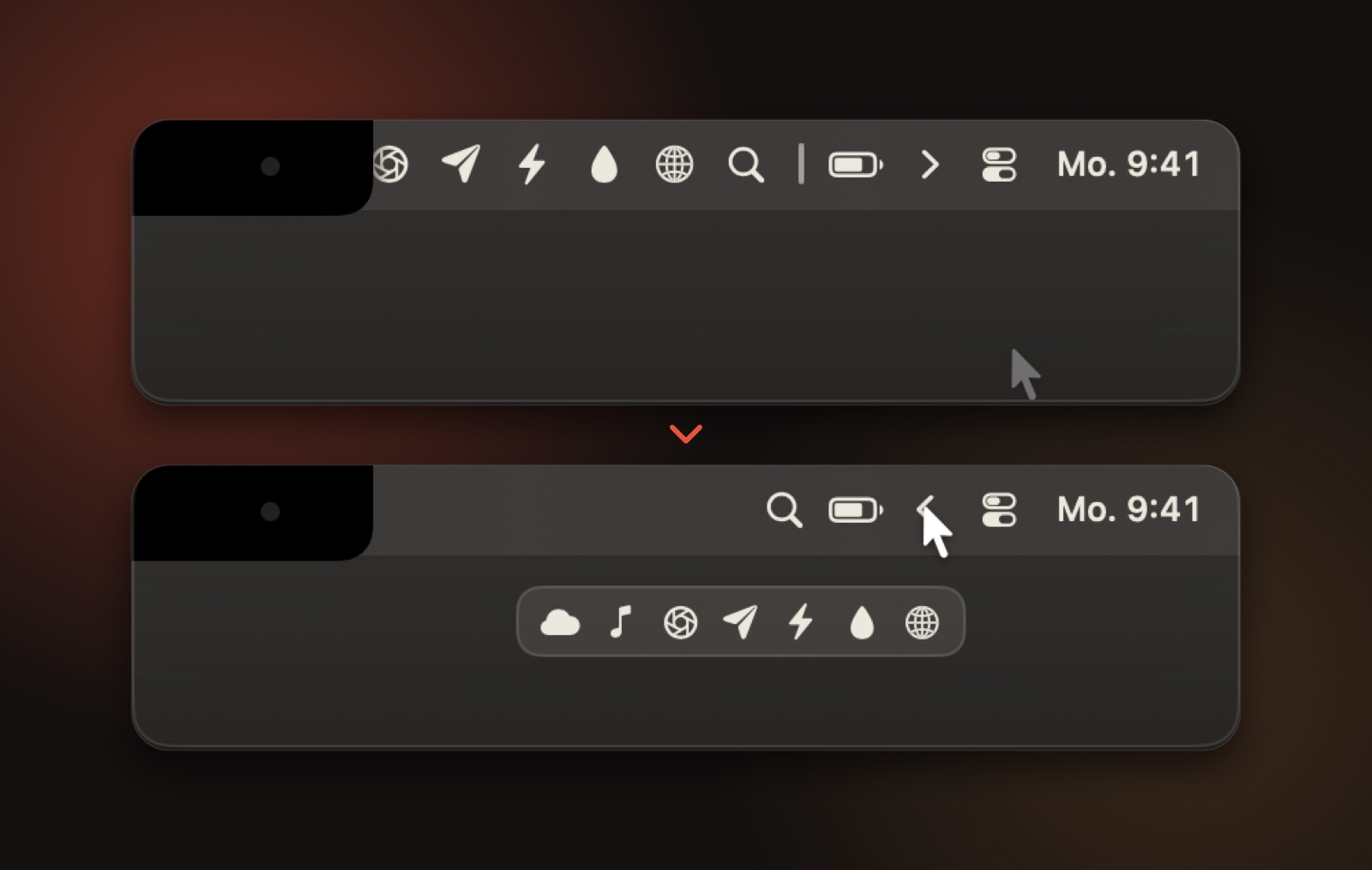
What Falz can do.
- Hold ⌘ and drag icons to the divider: left of it gets hidden, right of it stays visible
- One click on the arrow unfolds the bar and folds it again – after a few seconds it folds itself
- A second “always hidden” area for icons you almost never need – reachable with ⌥-click
- A bar below: every hidden icon with its real image, one click opens it – even the ones behind the notch
- Falz tucks new icons away by itself – install an app and its icon goes straight into the hidden area
Answered straight.
My Mac says it can’t verify the app. What now?
Falz isn’t notarized by Apple yet. Open System Settings → Privacy & Security once and click Open Anyway near the bottom. After that, Falz starts normally.
What does Falz ask for – and why?
For the bar below: Accessibility to read and open the icons, and optionally Screen Recording for their real images. Without either, Falz simply unfolds the menu bar in place. Nothing leaves your Mac.
More from Stellium
All products → Free
Triton
An AI agent that does the work, not just the talking.
Sim Lab
Structural and thermal analysis on real geometry, checked against textbook answers — design a steel by its composition.
PCB Studio
Design circuit boards and ask Triton about them — 46 parts, KiCad import, 3D preview from Blender.